One rtext, three fields
Every custom page you build is a single rtext component. Not a stack of files — one component, split into three fields the platform stores and runs separately.
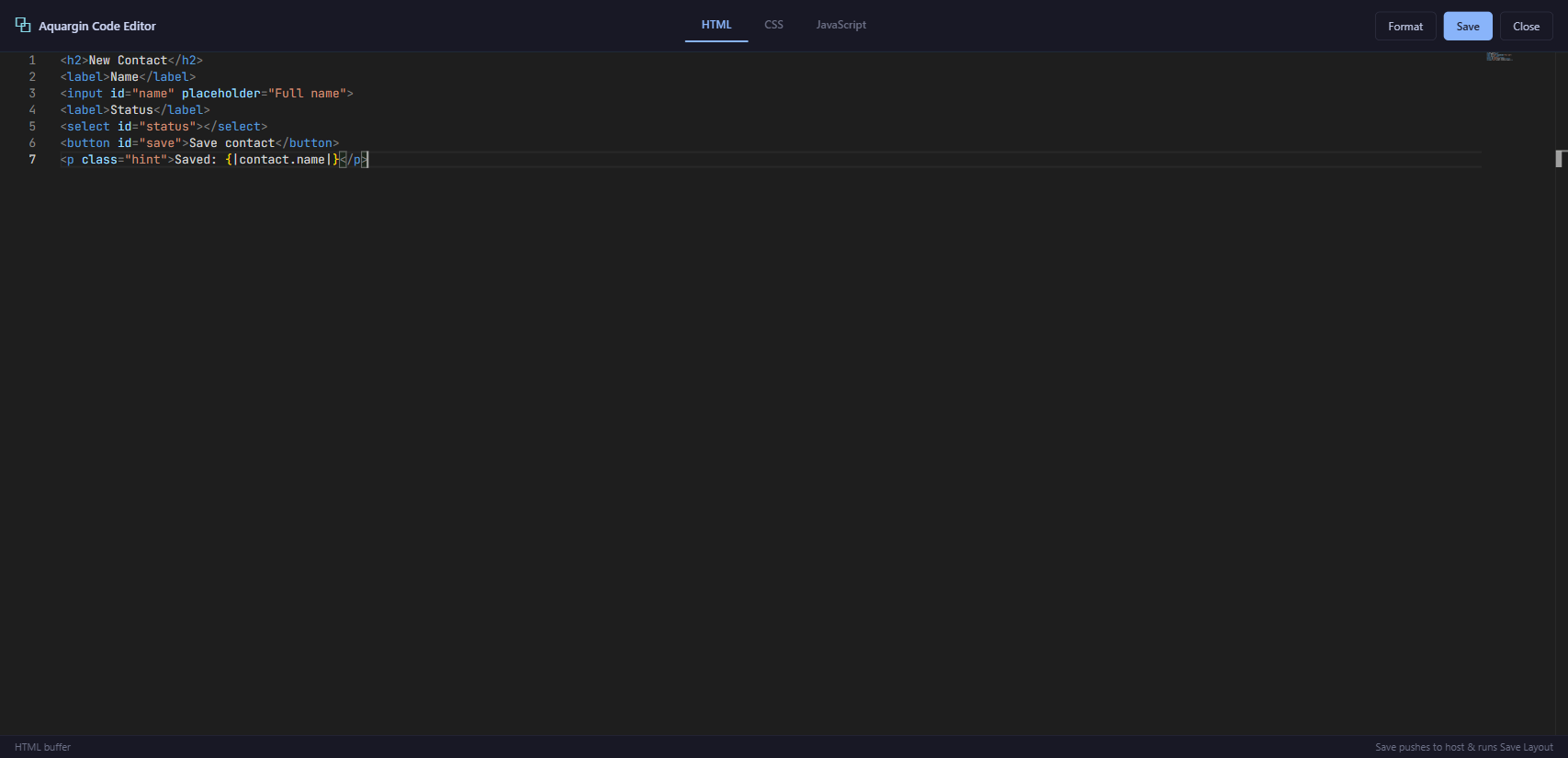
config.html, config.css and config.js.The three fields divide cleanly into structure, style and behaviour:
config.html— your markup, written by hand, with{|placeholder|}templates where live data should appear.config.css— scoped styles for that markup. The platform injects them as a style element for you, so you write plain CSS rules — no<style>tag.config.js— the page's logic, written against thectxAPI. The platform executes it directly, so you write plain JavaScript — no<script>tag.
Keeping them apart is the whole point. You never paste one big blob of HTML with an embedded
<script> and <style>; you fill three fields, and the framework
assembles and runs them.
// ── config.html ──  structure + a data placeholder
<input id="name" placeholder="Your name">
<p>Hello, {|greeting|}</p>

// ── config.css ──  scoped style (NO <style> tag)
input { padding: 8px; border-radius: 8px; }

// ── config.js ──  one line of logic (NO <script> tag)
ctx.bind('#name', 'greeting');   // typing in #name updates {|greeting|}
Three fields, one page. The {|greeting|} in the HTML and the
ctx.bind in the JS are two halves of the same wire — you'll meet both properly in the
units ahead.
This is not the layout builder. A custom page has no card, form or layout components to drag together — it's just HTML you write, styled by your CSS and wired by your JS. That freedom is why the model is worth learning carefully.
For developers — where the three fields live
The three fields are sub-keys of the rtext component's config:
config.html, config.css and config.js. They're stored as
plain strings — markup, a CSS rule-set, and a JavaScript body respectively. At render time the
platform mounts the HTML, injects the CSS as a scoped style element, then executes the JS with a
ready-made ctx object in scope. That's why neither <style> nor
<script> tags belong inside the fields: the wrappers are added for you. (The
exact field names the editor shows may vary — but the html / css / js split always holds.)
The three verbs
Open almost any well-written config.js and you'll notice the same thing:
nearly every line is one of just three verbs — bind, watch, or
invoke.
That's the rhythm of an rtext page. Wire the inputs, react to changes, talk to the server:
- bind —
ctx.bindconnects an element to data (a field, so typing updates the value and the value updates the field) or to an action (a button, so a click runs something). - watch —
ctx.watchreacts to a data change to compute a value: when these inputs change, recalculate that total. - invoke —
ctx.invokecalls a server function and hands you the result. Its cousins do the rest of the server work:ctx.query,ctx.createRecord,ctx.updateRecord, and friends.
// bind — a field, and a button
ctx.bind('#qty',  'qty');
ctx.bind('#save', { invoke: 'saveOrder__fx' });

// watch — derive a value when inputs change
ctx.watch(['qty', 'price'], () => ctx.set('total', ctx.get('qty') * ctx.get('price')));

// invoke — call a server function directly
ctx.invoke('loadCustomer__fx', { id: ctx.get('customerId') });When a line isn't a bind, a watch or an invoke, pause and
ask where it really belongs. Displaying a value? That's a {|placeholder|} in the HTML.
Configuring how a wire behaves? That's an options object on a bind. Nine times
out of ten the line dissolves into one of those two places — and your JS gets shorter.
The minimal-JS playbook
The framework does the boilerplate for you. Your job on an rtext page is to
write as little JavaScript as possible — and lean on HTML and ctx for
the rest.
Five rules keep a page lean. Internalise them and most pages all but write themselves:
-
Push display into the HTML
Anything the user reads belongs in
config.htmlas a{|placeholder|}, not assembled in JS. Render data; don't print it. -
One
ctx.bindper fieldEach input gets a single
ctx.bindtying it to a data key. No manual reads, no manual writes — the bind keeps element and value in step both ways. -
Buttons are
ctx.bindtooA button is just a bind to an action:
ctx.bind('#save', {invoke: 'save__fx'}). NoaddEventListener, no handler plumbing. -
Computed values via
ctx.watchTotals, labels, derived flags — declare a
ctx.watchover the inputs they depend on and set the result. The page recomputes when the inputs change, never on a timer. -
Delegated
ctx.onfor the truly customFor the rare interaction no bind covers, use
ctx.on— one delegated listener, auto-removed when the page is destroyed. Reach for it last, not first.
Most of what you'd reach for out of habit already has a shorter, auto-managed equivalent. When you feel like writing the left column, write the right one instead:
// vanilla DOM habit            →   the ctx way
document.querySelector('#x')      →  ctx.el('#x')   // or skip it — use a bind
el.addEventListener('click', fn)  →  ctx.on('click', '#x', fn) / ctx.bind
fetch(url, { headers: auth })    →  ctx.invoke('fn__fx') / ctx.query(...)
setInterval(fn, ms); clearInterval  →  ctx.setInterval(fn, ms) // auto-cleared
el.innerHTML = rows.map(...)         →  {|#each|} in HTML + ctx.set(...)
new Date().toLocaleString() → ctx.format(value, 'datetime')A full CRUD page — a form, a couple of lookups, a computed total, a save and a toast — should land
in roughly 15–30 lines of config.js. If you're past 50, stop: you're
almost certainly re-implementing what ctx.bind and {|placeholder|} already
do. Delete code until it fits.
Think declaratively
The shift that makes everything click: describe what the page shows and does, and let the framework decide how.
The imperative habit — the one most of us bring from plain web work — micromanages the browser:
find an element, attach a listener, build a string, set innerHTML, then remember to
tear it all down. The declarative way states intent and stops:
A placeholder declares that some data appears here. A bind declares that this field
is that value. A watch declares that this number follows those inputs. You never write the
wiring between them, and you never write the cleanup — ctx unwires every listener,
interval and binding when the page is destroyed.
// BEFORE — imperative: you manage every step
const input = document.querySelector('#name');
const out   = document.querySelector('#out');
function render() { out.innerHTML = 'Hello, ' + input.value; }
input.addEventListener('input', render);
render();
// …and remember to removeEventListener later

// AFTER — declarative: state intent, framework does the rest
//   HTML:  <input id="name">  <p>Hello, {|name|}</p>
ctx.bind('#name', 'name');
Same page, a fraction of the code, and nothing left to clean up. That is the rtext model in one breath: structure in HTML, behaviour in three verbs, the framework everywhere in between.
You've got the model; the next two modules fill in the detail.
Module R2 — Templates & Display goes deep on {|placeholder|} syntax,
{|#each|} and formatting. Module R3 — Binding covers every shape of
ctx.bind, watch and invoke. Keep the
Function Reference and the
Glossary open in another tab as you build.
Earn the rtext Initiate stamp
Answer all four to lock in Module R1.