Branching with Condition
A condition node splits the flow into separate outcomes based on a test. Each outcome is its own little path you wire up.
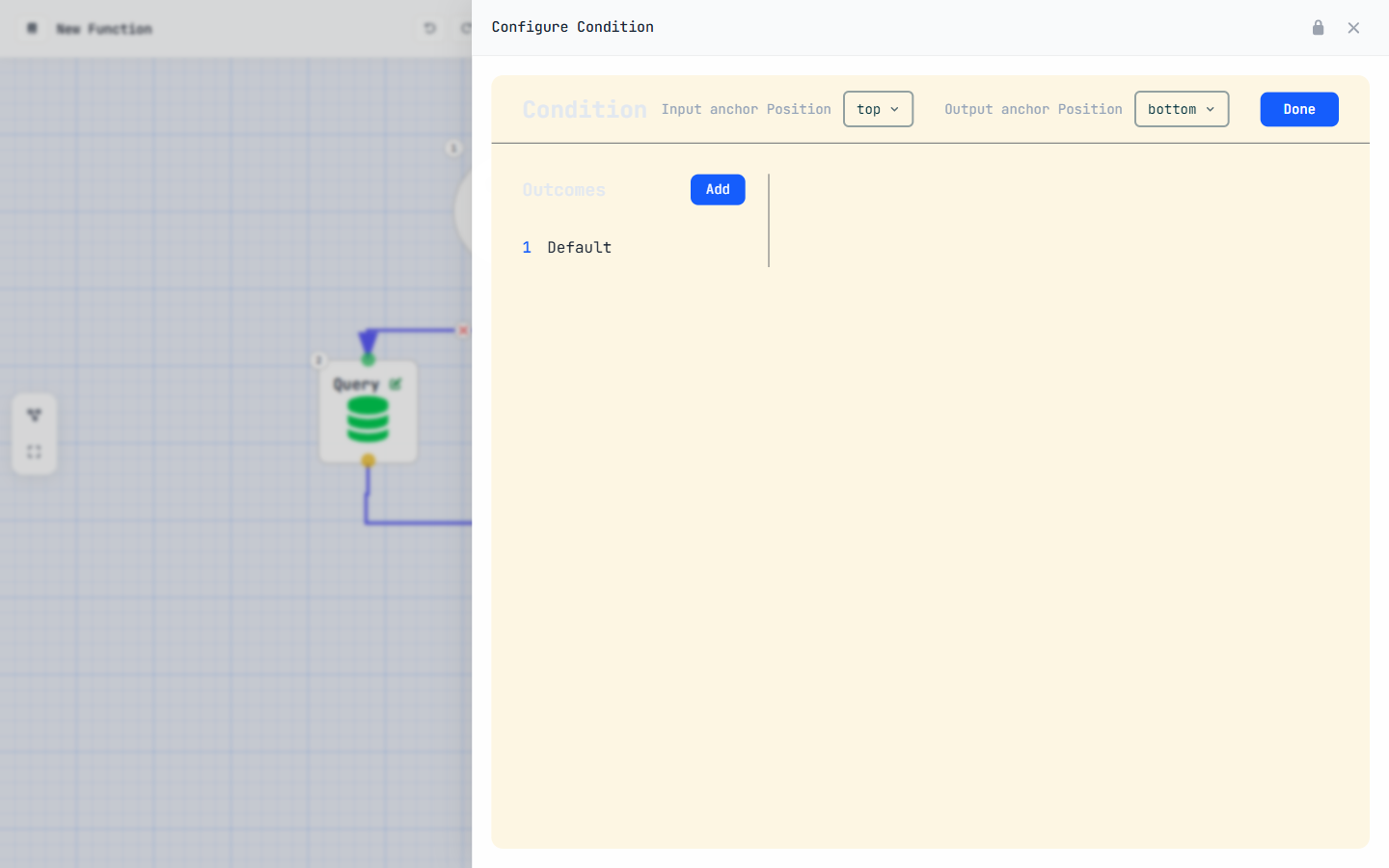
Picture a lead whose status tells you how to treat it. A hot lead gets fast-tracked;
a cold one gets nurtured. One node, two roads:
You add the test once — say status Equal Hot — and the
flow that hangs off that outcome runs only when the test is true. A second outcome,
status Equal Cold, carries the other path.
The one rule that trips everybody up
Here is the thing to internalise before you build a single condition: each outcome is an
independent if-block. It is not an else if chain.
That means the platform evaluates every outcome on its own. If two of your tests can both be true at the same time, then both branches run — there's no "first match wins". The only way to get clean either/or behaviour is to make your conditions mutually exclusive: design them so that, for any record, at most one can ever be true.
A condition node does not chain like if / else if / else. Every
outcome is tested independently, so more than one can fire. Make your conditions
mutually exclusive (e.g. status == 'Hot' vs
status == 'Cold') — never overlapping ranges like score > 50 and
score > 80, where a score of 90 would trip both.
Need a true catch-all "otherwise"? Build its test as the logical inverse of the others — for
example a third outcome status NotIn Hot,Cold — so it can
only fire when none of the explicit branches do.
For developers — the condition operators
An outcome's test uses the same short operator codes you met for query filters in
Module 03: e Equal, n NotEqual,
l Less, g Greater, m LessOrEqual, h
GreaterOrEqual, c Contains, s StartsWith. Every test needs all three
parts — field, operator, value — or the compiler rejects it. Because outcomes don't short-circuit
each other, pair complementary operators (m with g, e with
n) when you want guaranteed non-overlap.
Iterating with Loop
A loop node runs its body once for every item in a list. One pass per record, automatically.
Whenever a query returns many records, or a trigger hands you a list of affected rows, a loop is how you walk through them one at a time:
The three settings a loop needs
Every loop asks for the same three things — and you must give it all three:
listVariable— the list you want to iterate over (for example arecordsvariable you filled with a query).eachElement— the name for the current item on this pass. Inside the body, this is the single record you work with.indexVariable— the name for the current item's position in the list (0, 1, 2, …).
{
  type: 'loop',
  listVariable:  'records',   // the list to walk
  eachElement:   'record',    // current item — auto-created
  indexVariable: 'index',     // its position, 0-based
  body: [ /* nodes that run once per item */ ]
}eachElement yourself
Just like input parameters and $currentUser from Module
03, the loop's current item is an auto-created variable. You name it in the loop
settings, then simply reference it inside the body (e.g. record.name,
record.status) — there's no need to add it in the Variables panel.
Name eachElement for the singular thing (record,
lead, line), and listVariable for the plural
collection (records, leads, lines). Reading
for each lead in leads back to yourself is the fastest way to catch a wiring mistake.
Conditions inside loops
Branching is useful. Looping is useful. The real power shows up when you do both: walk a list, and decide something per item.
The pattern is a condition nested inside a loop's body. For every record the loop hands you, the condition inspects that record and an assignment reacts:
That reads as: for each record in the list, if its score is high, set its tier. The loop supplies the item; the condition tests the item; the assignment changes the item. Clean.
What you may — and may not — put inside a loop
A loop body is deliberately restricted. Inside it you may use:
- assignment — change a value on the current item or build up a running total.
- condition — branch per item, exactly as above.
addToList— afunctionCallthat appends the current item to another list you're collecting.
What you may not put inside a loop body is any node that touches the database one-record-at-a-time: query, create, update and delete are all off-limits in here.
Those four nodes must live outside the loop. Querying or writing once per item is how functions get slow and hit limits. The fix is a fixed pattern — query before the loop, decide inside, write after — and that pattern, "bulkify", is the whole of Module 05. For now, just remember the rule.
addToList is allowed
addToList only touches a list in memory — it never goes to the database. So
it's perfectly safe inside a loop. It's the bridge between "I looked at each record" and "here is the
subset I care about", which is exactly what you'll write back in bulk later.
Put it together
Let's build one end to end: scan a list of leads and collect the hot ones into a separate list. It uses every idea in this module at once.
-
Start with a list already in hand
Assume a query before the loop has already loaded your candidates into a
leadslist (this is the "query before" half of the bulkify pattern). You'll also want an emptyhotLeadslist variable ready to fill. The exact object and field API names depend on your org — pick yours from the dropdowns. -
Add a Loop over the leads
Place a loop node and set its three values:
listVariable=leads,eachElement=lead,indexVariable=index. Everything you add next goes inside its body. -
Inside the loop, add a Condition on the lead's score
Add a condition node with one outcome:
lead.scoreGreaterOrEqual80. Because it's a single outcome there's nothing to overlap with — but if you added a "cold" branch too, you'd keep them mutually exclusive (Unit 1). -
When hot,
addToListHanging off that outcome, add a
functionCallnode calling addToList: addleadtohotLeads. It's in-memory only, so it's allowed inside the loop. When the loop finishes,hotLeadsholds exactly the leads that passed the test.
One query, one loop, one condition, one addToList — and you've turned a big list into
a precise, filtered one. Branch, iterate, combine: that's the whole of Module 04.
You've collected hotLeads in memory… but nothing is saved yet. The payoff is writing
that list back to the database — in bulk, with the create,
update and delete nodes you weren't allowed to use inside the loop. That's
exactly where Module 05 — Create, Update & Bulkify picks
up.
Earn the Logician stamp
Four questions to lock in Module 04.